_bd46d2789fb142f89fcec521729b81a7.png)
A MacBook that won't turn on, shuts down at random, or shows a scrambled screen after a spill is often telling you the logic board, not the battery or the screen, has failed. MacBook logic board repair ranges from a targeted micro-soldering fix on a single chip to a full board swap, and knowing which signs point to which solution can save you both time and money.
Key Takeaways
- Multiple simultaneous failures are the biggest clue: if your trackpad, keyboard, and charging port all act up at once, it's rarely a coincidence, it usually means the logic board itself is failing.
- Liquid damage needs action within hours, not days: corrosion spreads on an exposed board, so a MacBook that got wet should reach a technician for cleaning before it's powered on again.
- Component-level repair beats full board replacement for most faults: micro-soldering a single failed IC or capacitor can cost a fraction of a full logic board swap and takes less time.
- Age matters more than most owners think: a logic board repair on a MacBook older than 5-6 years often isn't worth it compared to putting that money toward a refurbished upgrade.
- Doorstep diagnostics in Bengaluru let a certified technician run power and boot tests at your home before you commit to a repair, so you're not stuck without your MacBook for days.
At a Glance: Logic Board Damage Signs & Fixes
| Symptom | Likely Cause | Typical Fix | Data Risk |
|---|---|---|---|
| No power, no chime | Failed power management IC or SMC chip | Component-level micro-soldering | Low, if board isn't shorted |
| Random shutdowns/restarts | Damaged power rail or overheating chip | IC replacement, thermal repaste | Low |
| Distorted display or no video | GPU chip failure or Flexgate cable fault | GPU reflow or cable/board repair | Low |
| Corrosion after liquid spill | Oxidation on board pins and connectors | Ultrasonic cleaning + component replacement | Moderate to high |
| Burning smell, visible scorch marks | Blown capacitor or short circuit | Component replacement, board inspection | Moderate |
| Trackpad, keyboard, ports fail together | Shared controller chip failure on board | Component-level repair, rarely full swap | Low |
| Charging not recognized, erratic battery % | Charging IC or SMC fault | Chip-level replacement | Low |
1. Random Shutdowns and Failure to Power On
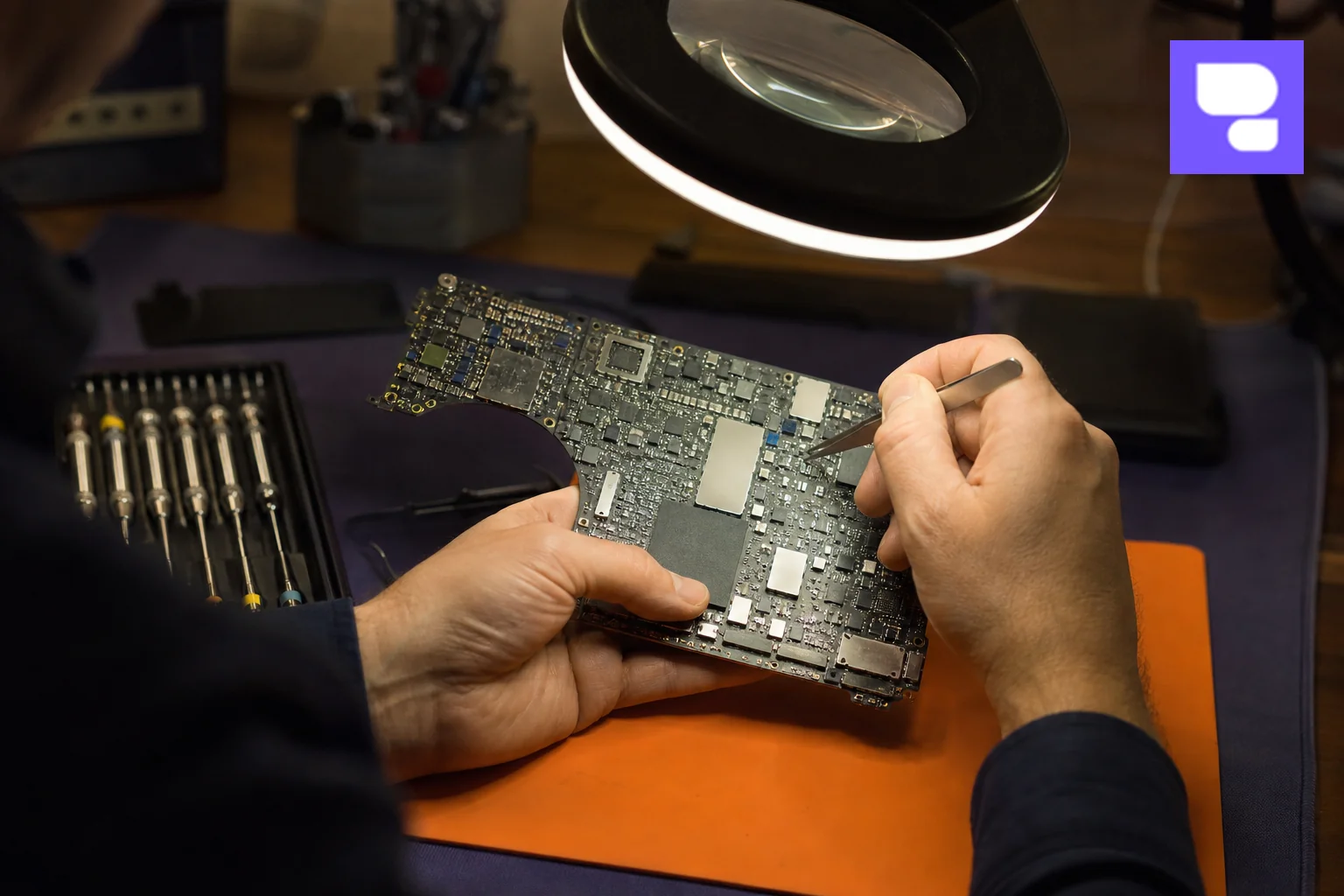
The most common reason people search for logic board repair is a MacBook that simply refuses to start. There's no chime, no fan spin, and the charging light doesn't respond. It's tempting to blame the battery, and sometimes that's the culprit. But if a known-good charger and battery swap doesn't fix it, the fault sits on the board itself.
Random shutdowns during normal use point to a different problem: a power rail delivering inconsistent voltage, or a chip overheating under load and tripping a safety cutoff. A technician tests this with a bench power supply, checking current draw at each stage of boot-up. If the MacBook draws power but never reaches the login screen, the fault usually sits between the SMC (System Management Controller) and the CPU.
Don't confuse this with a simple battery drain issue. If you're also noticing your battery percentage jumping unpredictably, it's worth reading our guide on MacBook battery replacement cost in India to rule out a straightforward battery swap before assuming board damage.
2. No Display or Distorted Graphics
A black screen with the MacBook otherwise humming along, fan spinning and keyboard backlight on, usually means the display isn't getting a signal. Two things cause this: a failed GPU chip on the logic board, or a damaged display cable, commonly called Flexgate on 2016-2017 MacBook Pro models.
Here's a quick test you can try yourself. Connect the MacBook to an external monitor using an HDMI or USB-C adapter. If the external display shows a picture, the logic board's graphics output is fine and the problem is likely the internal cable or screen. If the external monitor also stays blank, the GPU chip itself may have failed, which points to component-level board repair.
Distorted graphics, colored lines, or flickering patterns while the machine is otherwise running normally often mean a GPU chip is overheating and losing solder connections underneath, a fault technicians fix through controlled reflow or full chip replacement.
3. Liquid Damage Corrosion on the Board
Bengaluru's monsoon months bring a predictable spike in liquid damage cases, and a smaller but steady stream comes from spilled coffee, tea, and water bottles left too close to keyboards. The tricky part about liquid damage is that the visible symptoms, like a sticky key or a blank screen, often show up hours or days after the actual spill.
What happens underneath is corrosion. Any liquid with minerals or salts starts an electrochemical reaction the moment it touches exposed copper traces on the board. Left alone, this oxidation spreads and eats through connections that were working fine the day before. That's why the first hour after a spill matters more than any repair that follows: powering the device off immediately and getting it to a technician within the same day dramatically improves the odds of saving the board.
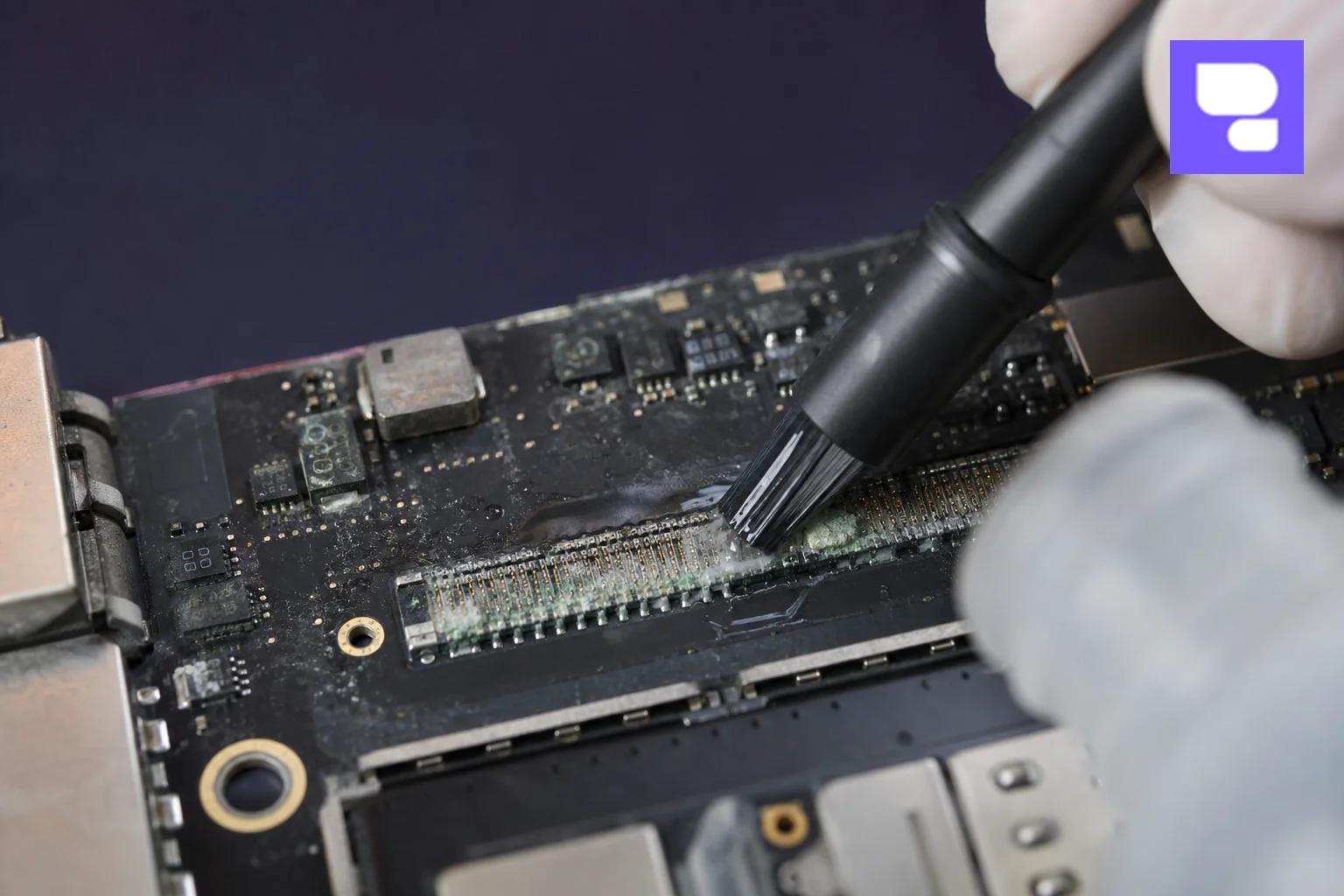
Professional cleaning uses an ultrasonic bath and isopropyl alcohol to dissolve corrosion without damaging surrounding components, followed by testing each power rail individually before the board is reassembled. If you've already gone through a liquid spill scare, our detailed walkthrough on MacBook repair in Bangalore's doorstep service covers what to do step by step in the moment.
4. Overheating, Burning Smell, or Visible Burn Marks
A burning smell, however faint, is never something to ignore. It usually means a capacitor has failed or a short circuit is heating a component past its safe limit. Left unaddressed, this can damage neighboring parts on the board and turn a small, cheap fix into a full board replacement.
Chronic overheating that isn't linked to a short can also stress the board over time, degrading solder joints under the CPU and GPU until they crack. We cover the everyday causes of MacBook heat issues, from clogged vents to background processes, in our guide on MacBook repair services in Bangalore, but if the heat is accompanied by a smell or visible discoloration on the board, that's a logic board fault, not a software one.
5. Ports, Keyboard, or Trackpad Stop Responding Together
One dead port or an unresponsive key is usually a localized issue. But when your keyboard, trackpad, and a USB-C port all stop working at the same time, that's a strong sign the shared controller chip on the logic board has failed rather than each individual component breaking independently.
This is a distinction worth understanding before you pay for a repair. A trackpad-only fault is often just a ribbon cable or the trackpad assembly itself, something we detail separately since it's a much simpler and cheaper repair. If several inputs fail at once, though, ask your technician to check the board's I/O controller specifically rather than replacing parts one at a time.
6. USB-C Charging Not Recognized or Erratic Battery Percentage
If your MacBook shows "Not Charging" with the adapter plugged in, or the battery percentage jumps from 40% to 90% without explanation, the fault often traces back to the charging IC or the SMC chip rather than the battery cell itself. These small chips regulate how power flows in and out of the battery, and when they degrade, the readings they report become unreliable.
Before assuming it's a board issue, it's worth checking battery health in System Settings and comparing cycle count against expected lifespan. Our post on MacBook battery replacement costs in India for 2026 breaks down when a simple battery swap solves the problem versus when the charging circuitry on the board itself needs attention.
How Technicians Diagnose Logic Board Faults
A reliable diagnosis starts with a visual inspection under magnification, looking for burn marks, bulging capacitors, bent pins, or corrosion residue. From there, technicians use a multimeter to check voltage at specific test points, comparing readings against Apple's schematic values for that model.
Software diagnostics play a role too. Apple's built-in hardware diagnostic tool, run by restarting while holding the D key, can flag failing components and produce reference codes that narrow down the fault. Combined with a boot-up current test on a bench power supply, this usually pinpoints whether the issue sits in the power stage, the GPU, or a peripheral controller.
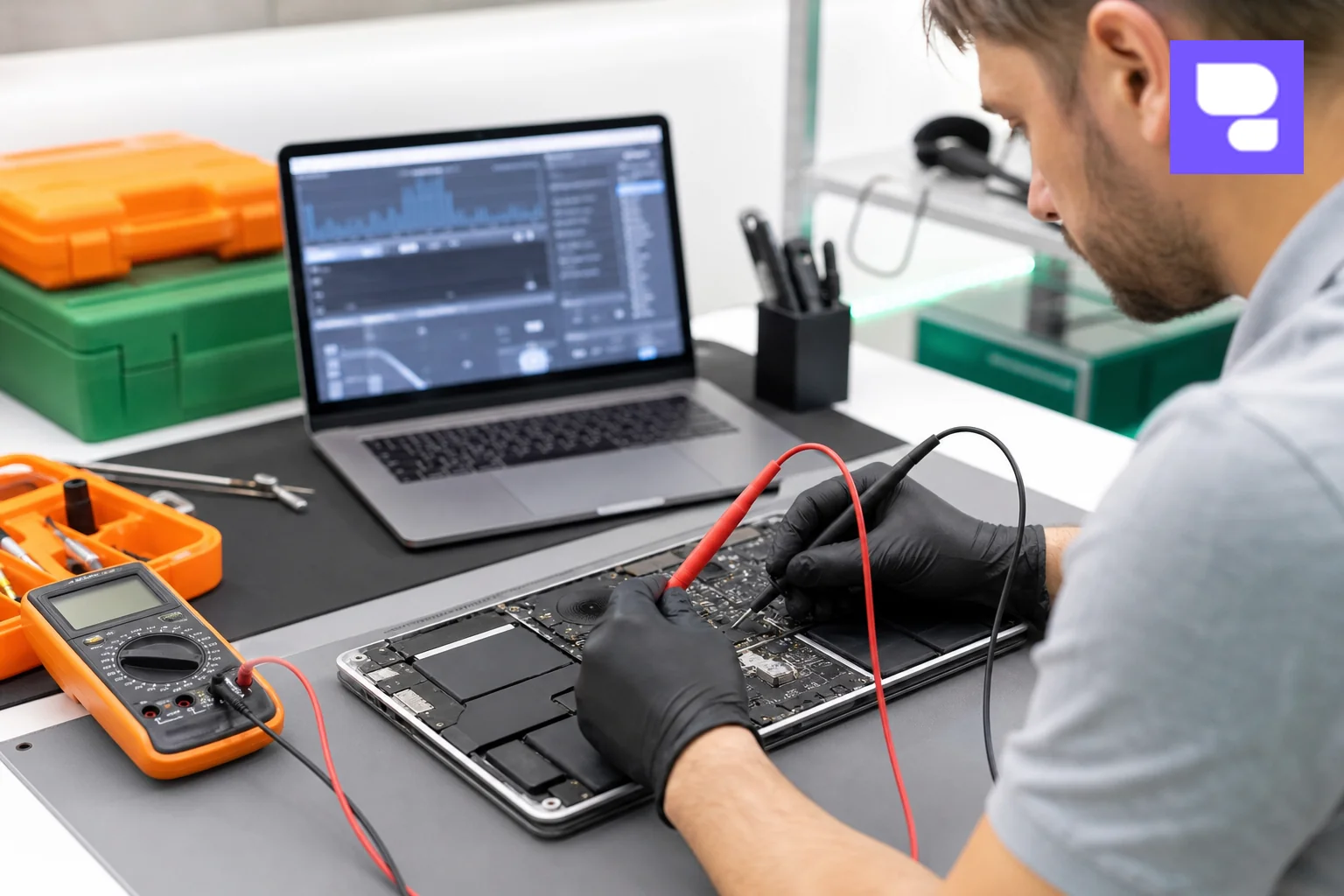
The final decision, component-level repair versus a full board swap, comes down to what's actually damaged and how accessible it is on the board layout. A single failed chip near the edge of the board is usually a straightforward micro-soldering job. Multiple failures spread across the board, or damage near densely packed CPU/GPU packages, may make a full replacement the more practical option.
Repair Solutions: Component-Level vs Full Board Replacement
Component-level repair means isolating the exact failed part, be it a capacitor, a charging IC, or a power management chip, and replacing just that piece using micro-soldering equipment under a microscope. It's more skill-intensive but usually far cheaper and faster than swapping the entire board, and it keeps more of the original hardware intact.
Full logic board replacement becomes necessary when the damage is too widespread to isolate, when corrosion has spread across multiple layers, or when a component sits underneath the CPU/GPU package where reflow risks damaging the main processor itself. It's a bigger job with a higher cost, but sometimes it's the only realistic path to a working machine.
- Component-level repair pros: lower cost, faster turnaround, preserves original serial-matched parts.
- Component-level repair cons: requires specialized micro-soldering skill and equipment; not every fault qualifies.
- Full board replacement pros: guaranteed fresh start on a known-working board.
- Full board replacement cons: higher cost, longer sourcing time for the correct board revision.
Is It Worth Repairing? Weighing Cost vs Replacement
Before committing to any logic board repair, weigh the age of your MacBook against the likely repair cost. A three-year-old MacBook Air or Pro with an otherwise healthy screen, keyboard, and battery is usually worth repairing even if the fix involves component-level work. A MacBook past its fifth or sixth year, especially one that's already had a screen or battery replaced, may be better served by putting that repair budget toward an upgrade.
Data recovery is the other factor people overlook. If the board is dead but the SSD is soldered separately or accessible, a good technician can often recover your files even before repair begins, which matters if you've been putting off backups.
Why Choose Doorstep Logic Board Diagnostics in Bengaluru
Carrying a MacBook with a suspected logic board fault across Bengaluru traffic to a service center adds risk, especially if the board is already shorting or overheating. HelloRe's doorstep repair service sends a certified technician to your home or office in areas like HSR Layout, Koramangala, Indiranagar, and Whitefield, where initial diagnostics, including power tests and visual inspection, happen on the spot.
If the fault needs deeper micro-soldering work, HelloRe's pickup and delivery service takes the MacBook to their workshop and returns it once repaired, with up to a 12-month warranty on the work done. Every repair uses certified parts, and technicians follow strict data handling protocols so your files stay private throughout the process.
For a broader look at how the full process works, from booking to pickup, see our guide on MacBook repair in Bangalore's doorstep service. And if you're not sure whether your specific MacBook is even worth fixing, we've written a dedicated breakdown at MacBook battery replacement cost in India that helps frame that repair-versus-replace decision.

Frequently Asked Questions
Can a MacBook logic board actually be repaired, or does it always need replacement?
Most faults can be repaired at the component level through micro-soldering, which replaces just the failed chip or capacitor rather than the whole board. Full replacement is only needed when damage is too widespread or sits in an inaccessible spot on the board.
How long does MacBook logic board repair take?
Component-level repairs typically take one to three days depending on part availability. A full board replacement can take longer if the exact board revision needs to be sourced.
Will I lose my data during logic board repair?
Not necessarily. If the SSD is separate from the board or still accessible, technicians can often recover data before starting the repair. It's still wise to keep regular backups, since severe corrosion or a short circuit can occasionally affect storage too.
Does a third-party logic board repair void my Apple warranty?
If your MacBook is already out of Apple's warranty period, using an independent repair service like HelloRe has no warranty implications since there's nothing left to void. If it's still under AppleCare, check your coverage terms before opting for third-party board-level repair.
What's the first thing I should do if I suspect logic board damage?
Turn the MacBook off immediately, especially after a liquid spill or burning smell, and avoid trying to charge or restart it repeatedly. Get it to a technician for diagnostics as soon as possible rather than waiting to see if the problem resolves on its own.
A MacBook that won't power on or keeps failing in odd, overlapping ways deserves a proper diagnosis before you write it off. Repair my device now with HelloRe's certified technicians, who can run logic board diagnostics right at your doorstep across Bengaluru and recommend the most cost-effective fix, whether that's a targeted component repair or a full board swap. If you'd rather explore other repair needs first, you can also book a repair now, browse iPhone repair options, iPad repair services, or Apple Watch repairs, or simply contact us to describe your MacBook's symptoms and get expert guidance on the next step.